Case study
Kindred Tales Point of Sale Checkout
The phone app I use to sell Kindred Tales gift cards at events: tap or insert a card on a Stripe reader, hand over the gift card, and every sale is accounted for at the end of the day.
- My role
- Sole builder. Product, React Native app, Cloud Run backend, Stripe Terminal integration, and redemption workflow.
- Timeframe
- Jun 2026
- Built with
I built this because Kindred Tales needed to sell gift cards in the real world.
The product on the table is a physical gift card. The buyer pays at a booth. The person who receives the gift redeems it later online. That sounds simple until you separate the two truths the system has to hold at once: a sale is money in and inventory out. A client begins only when the card is redeemed.
That distinction shaped the whole build.
Try a sale
Simulated checkout. This is a recreation of the booth app for this page, not the app itself. No payment is processed and nothing here talks to Stripe, a card reader, or a database.
New sale
MarketFest. One booth phone. One-handed checkout.
Drive the demo
These controls simulate booth events. They do not call the real booth app, Stripe, Firebase, Neon, or any backend.
What I built
The operator app is a React Native and Expo app, installed on an Android booth phone. Android came first because the M2 reader and Tap to Pay could be tested there without waiting on the Apple Developer Program. The code stays ready for iOS.
The main flow is built for a never-trained volunteer in bright sun, selling with one hand. Scan the barcode on the card. Pick the package. Add extra book copies if needed. The charge button says the exact amount, including tax. After payment, the success screen shows the last four digits of the card number huge: “Paid. Hand them card 0042.”
There is also a manual-entry path for damaged barcodes, a reader screen for finding and connecting the M2, an optional receipt prompt after payment, and a Today screen for end-of-day reconciliation by rail.
The payment path
The backend is a Hono service on Cloud Run with Drizzle, Neon Postgres, Firebase Identity Platform auth, and Stripe.
The app asks the backend for a Stripe Terminal connection token, discovers the M2 over Bluetooth, connects it to the Stripe Terminal Location, and then runs the card-present payment flow through the Terminal SDK:
- Create a booth PaymentIntent on the backend.
- Retrieve it in the mobile app.
- Collect the payment method on the M2.
- Confirm the PaymentIntent.
- Let the Stripe webhook flip the pending sale to succeeded.

The client never owns the price. It sends card IDs and line items. The backend validates sellability, recomputes subtotal, tax, and total, creates the PaymentIntent, and persists a pending sale. If the server total differs from what the operator saw, the app refuses to charge.
The card lifecycle
The card has two identifiers on purpose.
The front barcode is a card_id, used by the booth app to sell and track inventory. The hidden scratch code is for the giftee later. The scanner rejects the scratch-code format in software and tells the operator to scan the barcode at the top of the card instead. That is the highest-stakes booth error, so it belongs in code, not just signage.
Cards start inert. A batch release makes them redeemable. A successful sale stamps inventory metadata like sale_id, sold_at, and channel, but it does not make the card redeemable by itself. Redemption is gated separately by batch release and the scratch code.
That separation matters because not every sales rail can report the exact card ID. A booth app can. Amazon FBA cannot. The model keeps those realities from getting tangled.
From test mode to live sales
I proved it in stages before it touched a customer’s card.
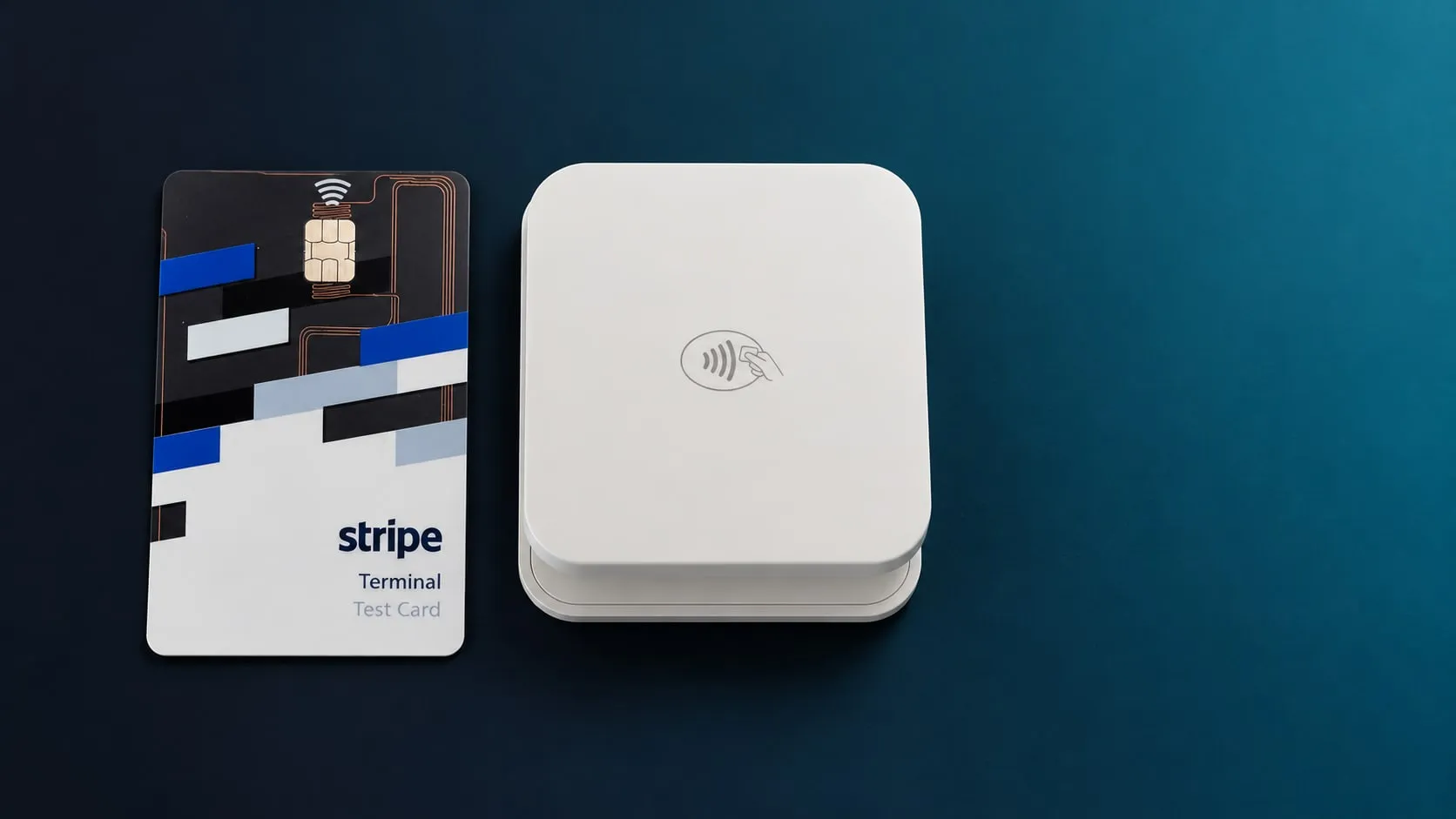
In test mode, the app connected to the real reader over Bluetooth. The required firmware update ran in the app with progress on screen. The serial number matched the sticker, battery status reported live, and a full power-cycle reconnect worked. A real card tap was read and then declined, which is correct: Stripe test mode doesn’t accept real cards on a physical reader. Stripe’s physical test card closed that gap. It approved a charge end to end, and the webhook marked the sale as succeeded.
Then I stood up production: live Stripe keys and webhook, a separate production backend and sign-in, and the booth app built against them and installed on the booth phone.
It now takes live card payments at Kindred Tales booth events, and the people who receive those cards redeem them online.
How I built it
I built it with AI. Every commit in the repo was written with Claude Code, and Gemini reviewed the pull requests before I merged them.
The AI wasn’t what kept it on track. The order was. Before any code, I wrote down the open questions, and an architecture review and a UX review worked through them. Each piece then got a written plan. The parts that touch money, like the cart, the tax math, and the rule about which code a volunteer may scan, got their tests before their code.
The first commit was June 2, 2026. Live Stripe payments were wired into production on June 18.
What it taught me
The hard part was not “take a payment.” Stripe gives you good primitives. The hard part was turning payment, inventory, redemption, hardware, and booth operations into one flow that a tired volunteer can run without knowing any of those words.
That is the same lesson I keep running into with AI systems, only with different nouns. The impressive API is not the product. The product is the harness around it: state, recovery, auth, receipts, reconciliation, and the plain-language screen that tells the human what to do next.
Related
- Kindred Tales. The business this booth system serves.
- Thomson Reuters. Enterprise product work where reliability and edge cases are not optional.